Local processing
Conversions run through the image editor installed on your WordPress server. No files are sent to Hypeberries.

hpb Image Optimization creates lighter versions of new JPEG and PNG uploads on your own server. Your originals stay available, and your images never pass through an outside service.
The plugin is free and open source. The official WordPress.org installation link will appear here after directory approval.
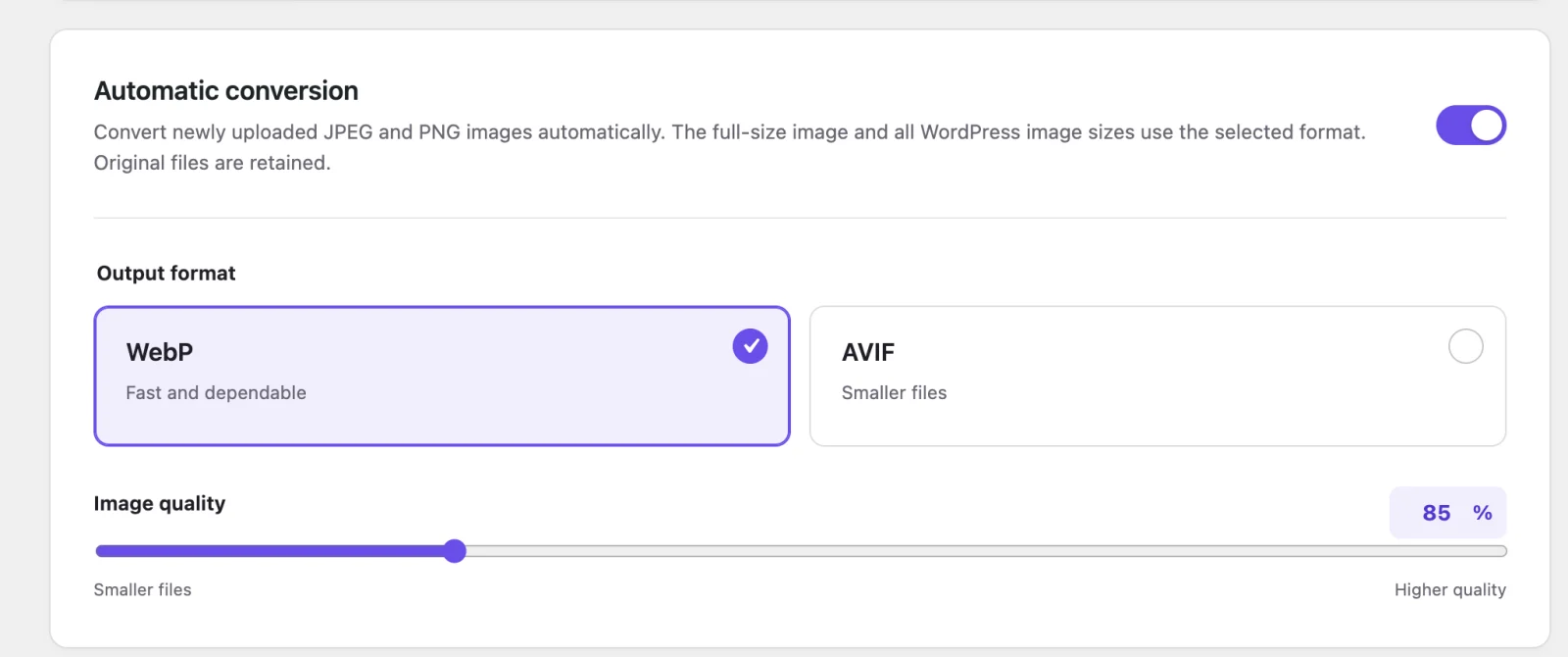
The plugin fits into the Media Library workflow you already use. There is no separate dashboard, credit system, or remote processing queue.
Select an output format and a quality from 80 to 100 in the WordPress settings screen.
WordPress creates the full-size attachment and its registered image sizes as usual.
The converted attachment is used in the Media Library and on the front end while the original source files are retained.
Conversions run through the image editor installed on your WordPress server. No files are sent to Hypeberries.
If conversion fails, the original upload remains intact and WordPress can continue using it normally.
There is no cloud API, monthly allowance, tracking, or paid upgrade required to process images.
The settings screen performs a real test encode before it offers WebP or AVIF.
WordPress uses Imagick or GD to create image files. WebP is supported on many current hosting plans. AVIF requires newer image libraries and is not available on every server.
If a format is unavailable, the plugin keeps that option disabled and explains how to ask your host about support. It never selects a format your server cannot successfully create.
Both formats can reduce image transfer sizes, but they make different tradeoffs.
WebP is the dependable default. It is fast to create, widely supported, and a good fit for everyday photographs, screenshots, and transparent PNG images.
AVIF can produce smaller photographic files, although it usually takes longer to encode and needs explicit support from the server's image library.
The plugin has no external conversion service to contact.
Images are processed inside your own WordPress installation. The plugin does not create an account, send media to Hypeberries, add analytics, or depend on an external API.
The source code is available in the public GitHub repository.
What the first release changes—and what it deliberately leaves alone.
Not in the first release. It converts new JPEG and PNG uploads after the plugin is activated.
Nothing extra. Existing WebP and AVIF files, as well as GIF, SVG, and HEIC files, are left unchanged.
Yes. The plugin retains the original JPEG or PNG source files while WordPress uses the converted attachment.
The original upload remains available. Incomplete converted files are cleaned up, and the attachment can fall back to the source format.
No. Deactivating or uninstalling the plugin removes its settings but does not delete Media Library attachments or generated image files.
Yes. There is no subscription, conversion quota, remote API, or account requirement.